
API Mastery: REST & Security#
Introduction#
In modern software development, APIs (Application Programming Interfaces) are the bridges that connect different software components. Whether you are building a mobile app, a web frontend, or a microservice architecture, the API is the backbone of your system.
While creating an API that “works” is relatively easy, designing one that is scalable, secure, and easy to use is a significant challenge. This guide covers the essential pillars of professional API development: RESTful design principles, solid security with JWT, robust Rate Limiting, and clear Documentation.
RESTful API Design#
REST (Representational State Transfer) is the most popular architectural style for web APIs. It relies on standard HTTP methods and status codes to manage resources.
REST Principles#
To thrive in the API world, you must understand these core principles:
Resource-Based: APIs should expose “resources” (nouns), not actions (verbs).
Bad:
/getAllUsers,/createUserGood:
/users(GET for list, POST for creation)
Statelessness: The server should not store any client context between requests. Every request must contain all the information needed to process it (e.g., authentication tokens).
Uniform Interface: Resources should be uniquely identified (URIs) and manipulated through standard representations (JSON).
API Design Best Practices#
Use Standard HTTP Methods:
GET: Retrieve resources.POST: Create a new resource.PUT: Update a resource (full replacement).PATCH: Update a resource (partial update).DELETE: Remove a resource.
Return Correct Status Codes:
200 OK: Success (GET, PUT, PATCH).201 Created: Resource successfully created (POST).400 Bad Request: Invalid input.401 Unauthorized: Missing or invalid authentication.403 Forbidden: Authenticated but not allowed (permission issue).404 Not Found: Resource does not exist.500 Internal Server Error: Server blew up.
Versioning: Always version your API to prevent breaking changes for clients.
Example:
/api/v1/products
Rate Limiting#
Why Rate Limiting?#
Imagine a user (or a bot) sending 10,000 requests per second to your login endpoint. This could crash your database or slow down the service for everyone else.
Rate Limiting controls the number of requests a client can make within a specific timeframe (e.g., 100 requests per minute). It protects against:
DDoS Attacks: Overwhelming the server.
Brute Force Attacks: Guessing passwords.
Resource Starvation: Ensuring fair usage for all users.
Implementation Strategies#
Fixed Window: “100 requests per hour”. The counter resets at the top of the hour. Simple but can have “burst” issues at the window boundary.
Sliding Window: Smoother approach, calculating the rate based on the last X minutes.
Token Bucket: Analogy of a bucket filled with tokens at a constant rate. Each request costs a token. If the bucket is empty, the request is rejected (
429 Too Many Requests).
API Documentation#
Good code is useless if no one knows how to use it. Documentation should be comprehensive and up-to-date.
OpenAPI / Swagger#
OpenAPI Specification (OAS) is the industry standard for describing REST APIs. Swagger UI turns that specification into an interactive webpage where developers can test endpoints directly.
Benefits:
Automation: Generate clients (SDKs) and server stubs automatically.
Interactivity: Try out the API without writing code.
Clarity: Defines exactly what request body is expected and what response will be returned.
Example Specification (YAML)#
openapi: 3.0.0
info:
  title: Sample API
  version: 1.0.0
paths:
  /users:
    get:
      summary: Returns a list of users
      responses:
        "200":
          description: A JSON array of user names
          content:
            application/json:
              schema:
                type: array
                items:
                  type: string
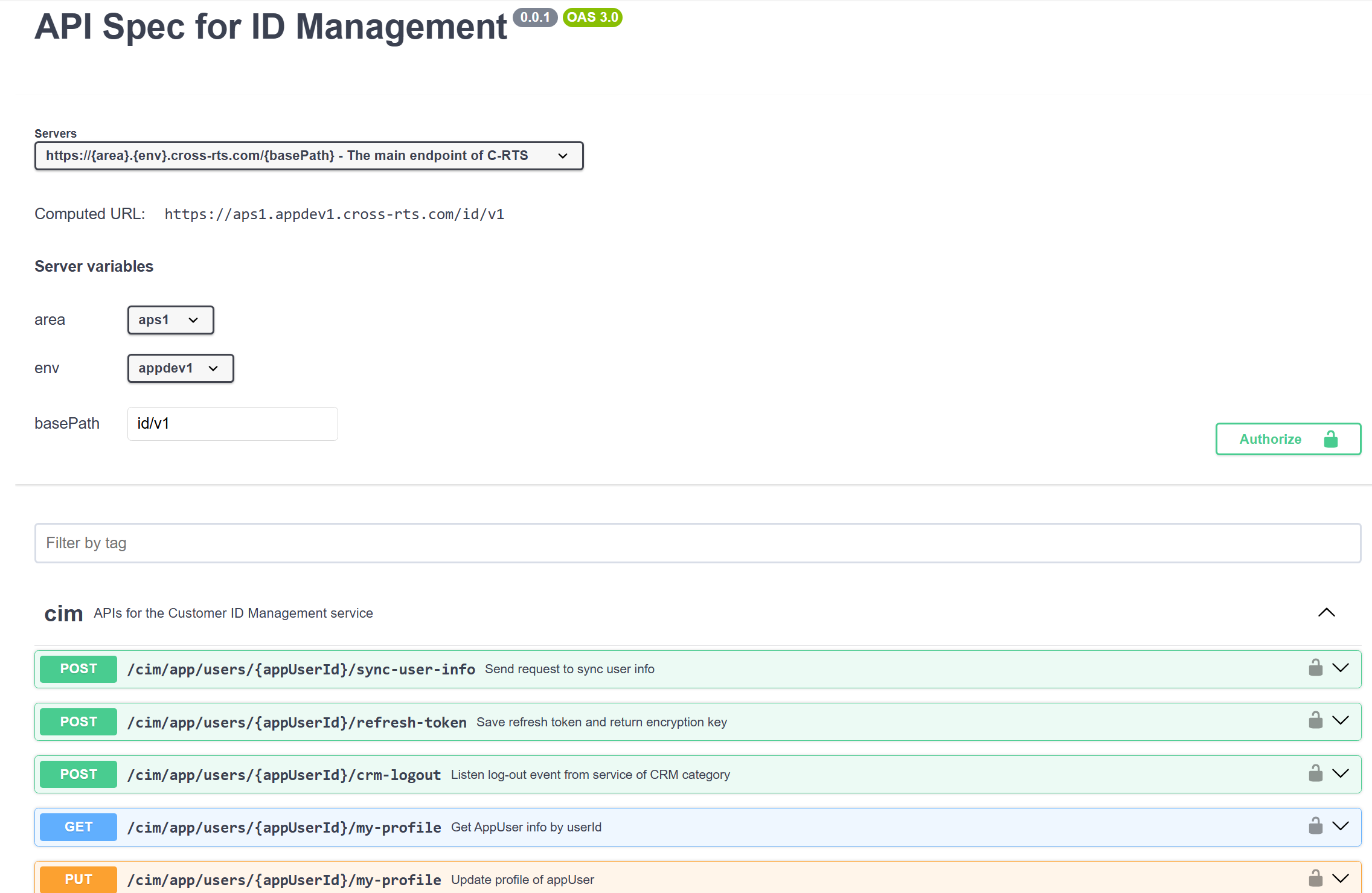
API Spec Swagger Example.
Summary#
Mastering APIs is about more than just moving data. It’s about designing systems that are predictable (REST), secure (JWT), reliable (Rate Limiting), and usable (Documentation). Focus on these pillars, and you will build APIs that other developers love to use.